# MinIO lightens its open‑source version
> MinIO removes OpenID Connect support from its server, as well as web‑frontend admin features, in the open‑source edition.
- URL : https://blog.xreveillon.eu/en-US/blog/minio-less-opensource
- Date : 2025-08-10T05:35:27.000Z
- Langue : en-US
---
## Changes Introduced by MinIO
After releasing the AIStor product, [MinIO](https://www.min.io/) split its “minio” software into two versions: a commercial version and a “community” version.
### OpenID Connect
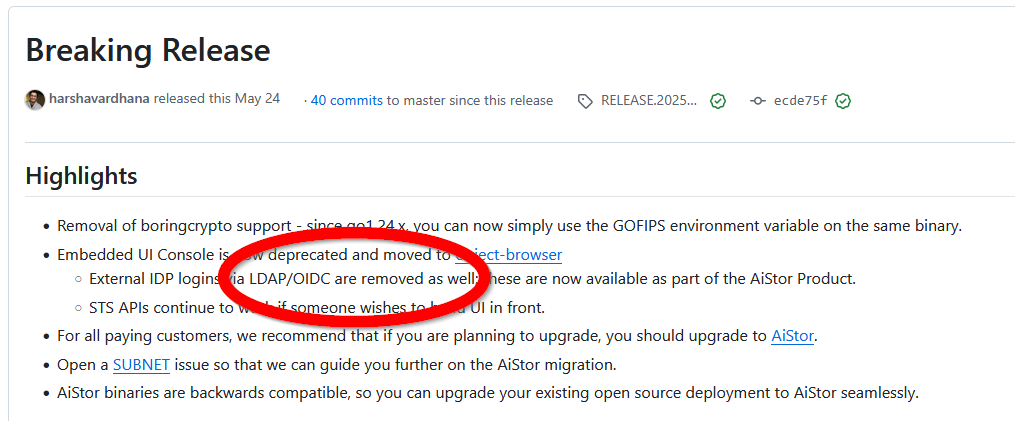
A few months ago, a [release](https://github.com/minio/minio/releases/tag/RELEASE.2025-05-24T17-08-30Z) removed LDAP and OpenID Connect authentication features from the “community” version.
Changelog for the May 24 2025 release
### Admin Functions in the Web Frontend
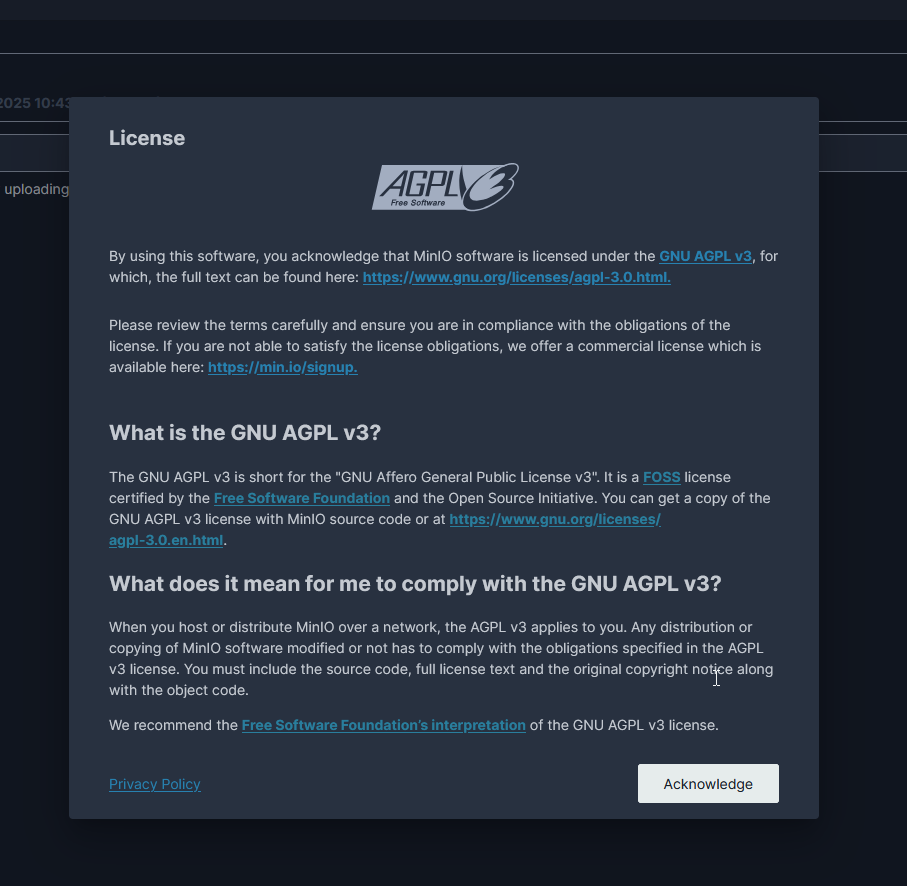
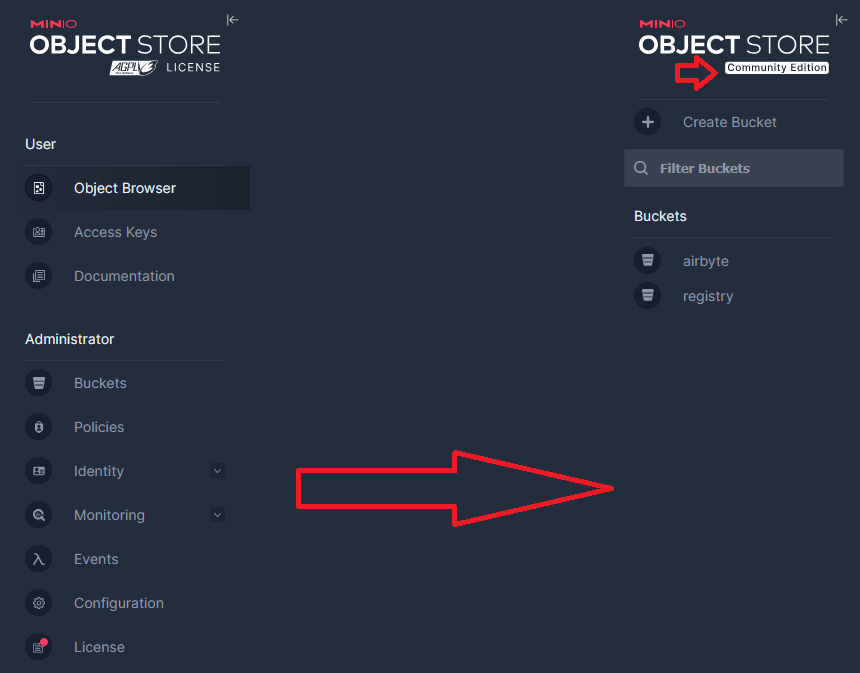
Similarly, in March MinIO removed all admin functions from its web console and added a message that always appears on login to explain the AGPL license.
You can no longer manage your access keys.
Login messageChanges in the ‘community’ version
## General Community Reaction
MinIO justifies the removal of admin functions by saying that separating the frontend into commercial and “community” versions makes it very hard to maintain both in parallel without introducing security vulnerabilities.
The user community is largely disappointed, citing Redis, [which abandoned an open‑source (BSD) license for a dual‑source model (RSALv2 and SSPLv1) in 2024](https://redis.io/blog/redis-adopts-dual-source-available-licensing/), but later returned to [an open‑source license (AGPLv3) this year](https://redis.io/blog/agplv3/).
Alternatives are immediately mentioned, including a French solution with [Garage](https://garagehq.deuxfleurs.fr/)! There is also [RustFS](https://github.com/rustfs/rustfs), [SeaweedFS](https://github.com/seaweedfs/seaweedfs)…
Another suggested approach is to keep deploying the last version before the change to retain the removed features, but I strongly discourage this because it’s not guaranteed that security flaws won’t be discovered, as highlighted by Harshavardhana in one of the comments.
## My Take
I will continue using MinIO with the newer releases, especially for its object‑versioning capabilities in buckets, which can be very handy for backup solutions.
I have also always appreciated their newsletter, which I found very technical and a great way to learn about the work of MinIO developers and the community.
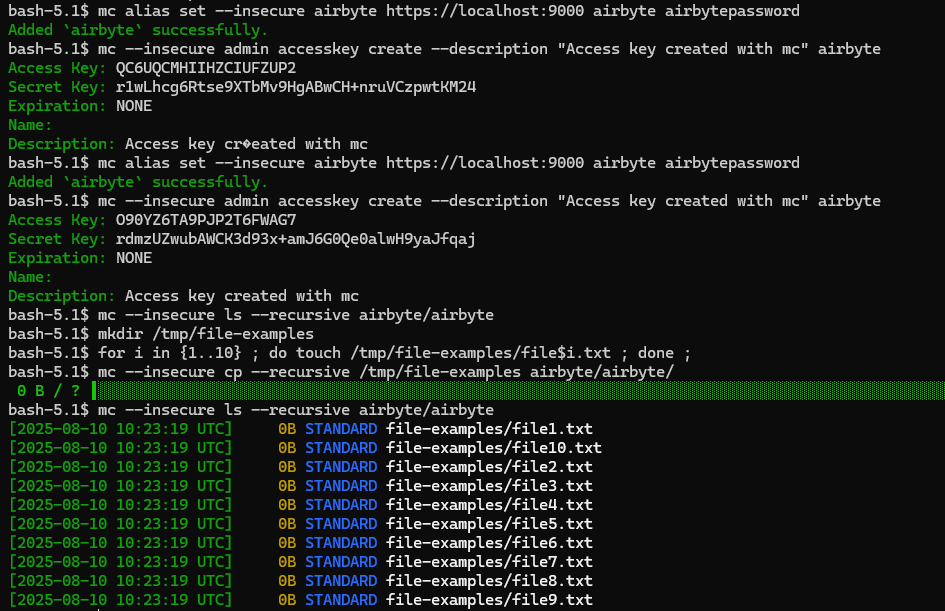
Finally, the `mc` (MinIO Client) command line tool remains functional.
**Helpful commands:**
```bash
# configure a connection
mc alias set --insecure myAlias https://localhost:9000 accessKey secretKey
# create an access key
mc --insecure admin accesskey create --description "Access key created with mc" myAlias
# list all contents of the bucket airbyte (syntax: mc ls alias/bucket)
mc --insecure ls --recursive myAlias/airbyte
# copy an entire folder to the bucket
mc --insecure cp --recursive /tmp/fichier-exemples myAlias/airbyte/
```
Examples of commands with mc