Moving from GitLab to Forgejo
In a month, I reduce the resource footprint of two of my services: Forgejo absorbed both the forge (GitLab) and the container image registry. A consolidation story — the why, the incremental migration, and the pitfalls I hit along the way.
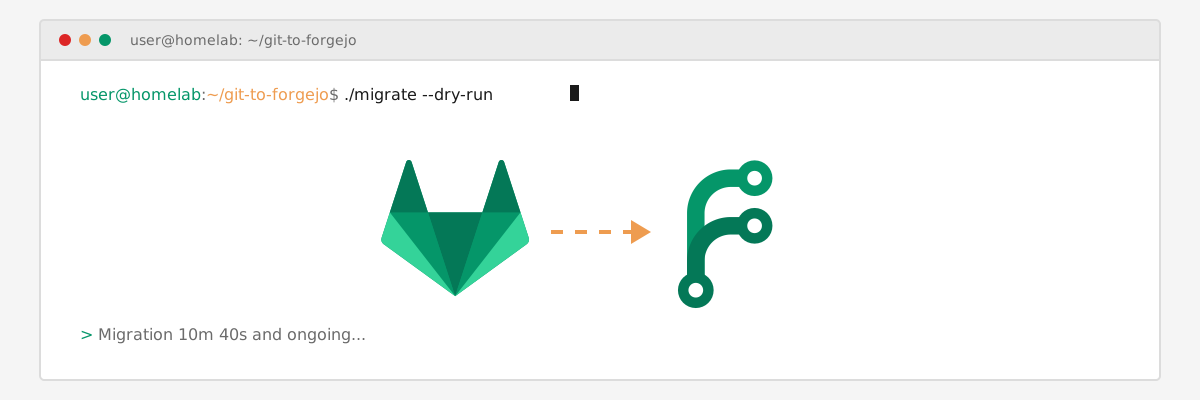
In a month, I replaced two components of my homelab with a single one. Not one forge for another: a forge and an image registry, merged into one tool.
This post covers the why, the how, and what the migration cost me. It’s not a step-by-step tutorial, more a migration story with the pitfalls along the way. If you run a homelab with containerized services, there’s something to take away from it.
Before: the stack and its gluttony
My homelab is a server running lots of containerized services, deployed in GitOps style: the configuration lives in a git repo, and a pipeline deploys it. On GitLab, a dedicated group gathered those services. It was clean, but it rested on a heavy core.
After a crash, three components had to come back first: GitLab (forge + CI), the image registry (which notably holds the images for CI jobs), and Traefik (reverse proxy). That’s what I call the machine’s bootstrap set.
GitLab was the biggest one: Rails, Workhorse, Sidekiq, Gitaly, PostgreSQL (external, though), Redis. A small constellation of services just to host code. By far the heaviest component on the machine.
The registry had its own history. I started on GitLab in its early days, and container image registry support (or even project packages) was still in its infancy, so I went with the simplest option: a plain, no-frills docker registry. Then I wanted a UI on top of it, and the service that best fit my needs was Artifactory JCR. I used it for several years.
I decommissioned it last month. The real reasons: it was heavy (two minutes to start on my server), I’ve been disappointed from the start that Jfrog Artifactory doesn’t offer a free “all-in-one” version (regular packages — java-maven, go, npm, … — plus Docker images: Docker images are offered in a completely separate free service), and it isn’t open-source. I once considered Nexus Sonatype OSS (now Community edition), but never took the plunge. I replaced it with Zot, which convinced me immediately — fast, light, simple. A good decision I don’t regret: it proved a registry doesn’t have to be an overengineered monster.
But now Forgejo lets me kill two birds with one stone: lighten my services, and move to an all-in-one forge and package hosting solution.
One more reason to migrate: some features stayed locked behind GitLab’s paid tiers (Premium/Ultimate), CODEOWNERS for instance. A shame, for a tool I was self-hosting, and that I planned to use as in a professional environment, with protection of certain files (notably .gitlab-ci.yml) when launching pipelines.
Why Forgejo
Forgejo ticks important boxes for me. It’s a fully open-source project, developed around Codeberg (a German non-profit association), published under a fully MIT license — no open-core, no crippled edition pushing you to pay. Governance is democratic, carried by the Forgejo Council.
On the technical side, the contrast is stark. GitLab is an empire; Forgejo is a single Go binary. A RAM footprint in the 150–300 MB range, versus several gigabytes for the GitLab equivalent. And because it’s a single container, an upgrade is very simple: as with GitLab, after reading the release notes, a simple version bump in the .env file, a git push, and the pipeline handles the upgrade.
GitHub Actions compatibility is the icing on the cake. Forgejo Actions reuses GitHub Actions syntax. Official images, the marketplace, third-party actions: most work as-is. And a second cherry (it’s good to be greedy): since GitHub is THE de facto forge, LLMs are very good at writing and fixing GitHub Actions workflows. Forgejo benefits indirectly — a real bonus when you work a lot with an LLM “assistant”.
The decisive argument was consolidation. Forgejo ships a built-in package and container image registry (OCI, what’s more!). Once it absorbed the forge, it could absorb the registry too. Two components (forge + registry) became one. And the post-crash bootstrap set went from three to two: GitLab + registry + Traefik, then Forgejo + Traefik.
I ran a test phase of a few days. Then the evaluation, in early August: yes, we migrate. The consolidation starts after that, and is still ongoing.
The migration
The migration is happening incrementally, not as a big-bang. Each repo is being migrated to Forgejo, then the GitLab pipeline transcribed as Forgejo Actions, at my own pace. No forced cutover on an imposed date.
Needless to say, the longest part is the CI. Each .gitlab-ci.yml has to be rewritten as Forgejo workflows, in a .forgejo/workflows/ folder per repo. GitLab and GitHub Actions syntaxes don’t resemble each other, and every type of repo has its own quirks.
The GitOps deployment, on the other hand, stays intact. The runner launches containers to execute jobs — that’s all you need to know for the rest. Result: the final pattern doesn’t move. To deploy a service, a docker compose up -d in the repo’s working directory is still enough. The pipeline does it, just like before.
The built-in registry
The elegant part is the registry. Since every build pushes its image to forgejo.xreveillon.eu/{owner}/{image}, the images I stored in my old registry (Zot) migrate de facto as the pipelines run, with no dedicated migration campaign. Forgejo’s built-in registry takes over from Zot almost transparently (I still have to tell my image consumers that they’ve migrated).
A concrete example
A textbook case: my docker/docker utility image (Docker + Node.js + build tooling). It’s built by Forgejo Actions, published to the built-in registry, and pulled anonymously by the pipelines that need it. Build, push, pull: everything goes through Forgejo, nothing else.
ZFS storage
The Forgejo container volumes live on a ZFS filesystem. Storage is split into five targeted datasets (git, gitea, packages, log, ssh), each with its own regular snapshots — per-component backups, not one big monolithic bundle.
I don’t create my snapshots by hand: I use Sanoid, developed and published by Jim Salters, with a declarative config in /etc/sanoid/sanoid.conf:
# /etc/sanoid/sanoid.conf — regular snapshots on the git repos dataset
[zpool/forgejo/git]
    use_template = production
    hourly = 24
    daily = 7
And for a copy off the pool, combined with Sanoid, I use Syncoid, also by Jim Salters and in the same apt package anyway, which handles incremental replication:
syncoid zpool/forgejo/git remote:backup/forgejo/gitThat follows part of the 3-2-1 backup rule: three copies of the data, in at least two different places.
Pitfalls I hit
The most instructive part of the migration was the pitfalls.
1. Anonymous pulls
The registry refused anonymous pulls. There were actually at least two parameters to configure:
REQUIRE_SIGNIN_VIEW=falseso browsing the git repos, and reading the registry, doesn’t require authentication;- the organization or owner visibility set to
public(an admin-only setting); the package follows its owner/organization, not its project
Once both were set, anonymous pulls worked.
2. A runner image without Node.js
First CI run, first failure: JavaScript actions like checkout@v4 failed immediately. Classic cause: the docker:27 image (an Alpine base) doesn’t ship Node.js, which those actions need. The fix was my custom forgejo.xreveillon.eu/docker/docker image, adding Node.js and build tooling on top of the Docker base image.
3. A token that can’t push images
Another failure, cryptic message: unauthorized: reqPackageAccess. In plain English: the token Forgejo auto-generates can’t push a package to an organization. To unlock pushes from CI, I had to create a personal access token (PAT) with the write:package scope, and store it as a repository secret.
Note: Secret names must not start with
FORGEJO_orGITHUB_(they’re reserved). My first instinct cost me some time.
4. Checkout and the internal network
A subtle detail: actions/checkout clones through github.server_url, which points to the instance’s internal URL. The clone happens from the job container, not from the runner. If that container isn’t on the same “docker” network as Forgejo, the clone fails. Lesson: job containers must sit on the same work network.
5. FORGEJO__section__key overrides the config
The trap that cost me the most. An environment variable of the form FORGEJO__section__key overrides the matching entry in app.ini on every restart. I had hand-edited app.ini, and my changes vanished at the next reboot.
In my case, the source of truth is compose.yaml: the environment variables are defined there. Advice: never touch app.ini by hand, or your settings will be wiped on restart.
Tip: In most of these pitfalls, the cause isn’t Forgejo’s youth. It’s me discovering the tool and not yet knowing its subtleties. The distinction matters: it changes how you search for a fix.
The tally: what I gained, what I lost
The state of things:
What I gained:
| Before | Now | |
|---|---|---|
| Footprint | GitLab: about 6.5 GB combined between the server, the runners and Zot | Forgejo: about 200 MB combined between the server and the runners |
| Database | GitLab: 28 connections to my shared Postgres server | Forgejo: I stay on SQLite, no ambition to scale very high |
| Components | GitLab + Zot, two pieces | Forgejo, a single component |
| CI | GitLab CI | Forgejo Actions, GitHub Actions ecosystem reusable |
| Philosophy | open-core, paid features | Fully MIT, democratic governance |
The machine breathes, upgrades remain a simple version bump in a .env file (as before), and the GitHub Actions ecosystem is reusable as-is.
What I lost (accepted): From Zot, I’ll maybe miss artifact management. Cosign UI, the referrers API, SBOM, vulnerability scanning: all of that was richer on the Zot side, and I was planning to look into it. On Forgejo, signing is possible, but as OCI artifacts, without first-class management. “Re-developing” security scans is possible via the pipelines.
What’s left
Decommissioning Zot is underway. I need to inventory the images that don’t flow through CI (copy or discard them), repoint the consumers, then remove the container and its volume. The last repos still on GitLab are moving over incrementally.
And a meta note to close: this very post is an artifact of the migration. The blog moved on August 6, and this article is drafted and published from the new Forgejo — as will be everything that follows.
At its core, the story isn’t “I switched forges”. It’s “I removed a component”. When one machine hosts your entire homelab, that difference matters. See also the blog’s comeback post for the context of this rebuild, or the data platform infrastructure article for another facet of self-hosting.
And what about an enterprise environment?
This post is about a homelab, I’m wondering whether an enterprise could use it.
GitLab is the enterprise default for good reasons: built-in security scanning (SAST, dependencies, containers), compliance and audit tooling, SSO, and a support contract with SLAs. Forgejo doesn’t ship those scanning and compliance features out of the box — you’d have to build them yourself, via pipelines for instance. But the gap is narrower than it looks, and the essentials are covered:
- Database: I run SQLite, which is fine for a homelab. In an enterprise, you’d switch to PostgreSQL — Forgejo supports it, and it’s a documented configuration change, not a rewrite.
- Runners: mine are standalone Docker containers. Can jobs run in Kubernetes instead? Not natively — the official runner executes jobs in Docker, LXC, or directly on the host. There’s an open discussion about native Kubernetes runners, and community projects like forgejo-k8s-runner, but it’s not a first-class feature yet. The common workaround is running the runner itself in Kubernetes with Docker-in-Docker, or using Buildx with the Kubernetes driver.
- SSO: enabled in my homelab, with OIDC. Forgejo supports LDAP, SAML, OAuth2 and OpenID Connect.
- CODEOWNERS and merge approvals: the feature that was locked behind GitLab’s paid tiers is free here. Combined with protected branches — required approvals, approval whitelists, stale-approval dismissal, status checks, protected file patterns — you get the review and merge-approval workflow an enterprise expects.
So where does that leave us? If you must produce compliance evidence (SOC 2, ISO 27001), GitLab is hard to beat. If you want to own your tooling, keep costs predictable, and avoid per-seat licensing, Forgejo is a credible alternative — and since it’s GitHub Actions-compatible, the CI ecosystem isn’t a lock-in either.
Comments